Published LinkedIn article
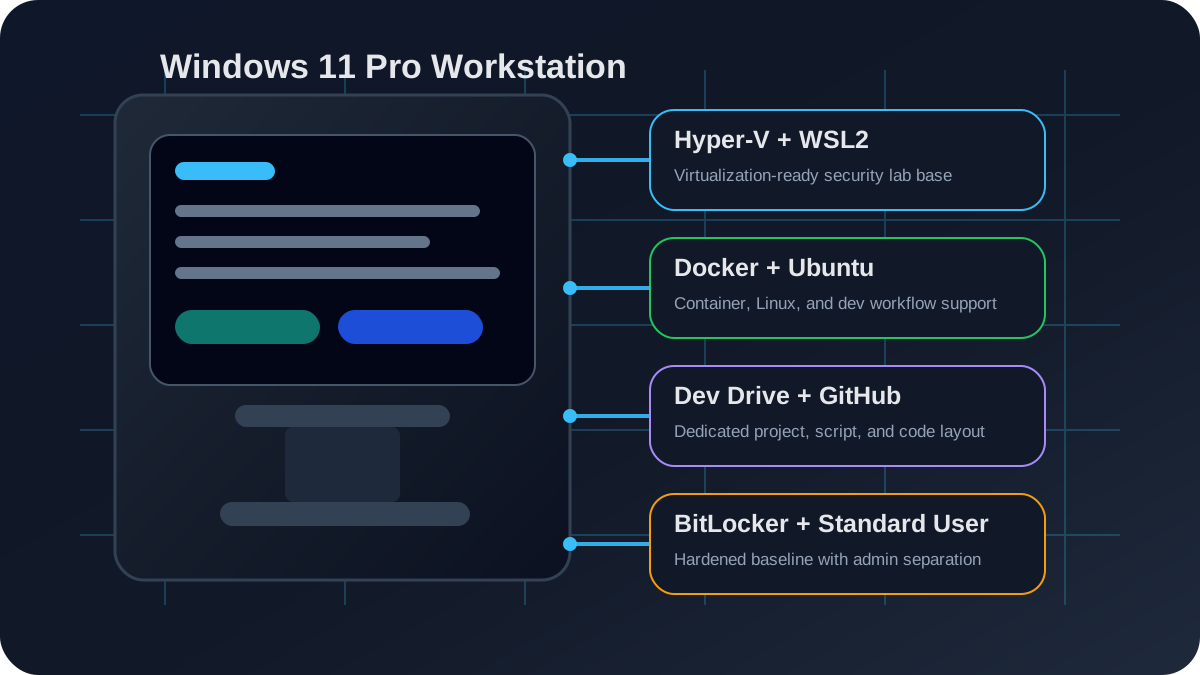
This portfolio version now links to the public LinkedIn article: How to Set Up a Windows 11 Pro Workstation for Cybersecurity, IT, and Development Grad Students. The article is written as a reusable setup guide covering planning, fresh installation, account separation, BitLocker, storage layout, Hyper-V, WSL2, Docker, cybersecurity tools, Hyper-V lab design, recovery documentation, and final validation.
Operational impact
- Created a cleaner cybersecurity and development baseline by separating admin activity from daily user work.
- Improved lab readiness through Hyper-V, WSL2, Ubuntu, Docker, Windows Sandbox, and dedicated VM/development storage.
- Reduced configuration drift by documenting the build decisions, enabled features, folder structure, and validation checks.
What I did
I performed a fresh Windows 11 Pro build and configured the system as a security-focused IT, development, and graduate-work workstation. The environment uses a local administrator account for privileged changes, a separate daily-use account for normal work, BitLocker protection on the operating system volume, and a dedicated development layout for scripts, school work, GitHub projects, cybersecurity labs, web work, and Python/PowerShell tooling.
The workstation is also prepared for technical labs and reproducible project work through Hyper-V, WSL2, Ubuntu, Docker Desktop, Windows Sandbox, Virtual Machine Platform, Hypervisor Platform, and a dedicated Dev Drive structure.
Why I did it
I wanted the workstation to match the way real IT and cybersecurity work is done: with least privilege, clean documentation, reliable virtualization, and a repeatable layout that supports troubleshooting instead of creating more confusion. I also wanted the build to support graduate cybersecurity coursework, infrastructure labs, scripting, technical writing, and portfolio development from one stable environment.
How I did it
| Layer | Implementation | Reason |
|---|---|---|
| Operating system | Fresh Windows 11 Pro install on the primary system drive | Clean baseline with Pro features for virtualization and management |
| Account model | Separate local administrator account and daily-use account | Supports least privilege and safer day-to-day work |
| Encryption | BitLocker enabled on the operating system volume | Protects local data if the device is lost, stolen, or serviced |
| Virtualization | Hyper-V, WSL2, Virtual Machine Platform, Hypervisor Platform, and Windows Sandbox | Supports labs, isolation, Linux tools, testing, and controlled experimentation |
| Development | Dev Drive with folders for GitHub, school, scripts, PowerShell, Python, web, and cybersecurity | Keeps work organized and easier to back up, scan, and document |
| Containers | Docker Desktop with WSL integration and Ubuntu running on WSL2 | Supports repeatable development and lab environments |
Validation checks
- Confirmed Hyper-V, WSL2, Virtual Machine Platform, Hypervisor Platform, and Windows Sandbox were enabled.
- Confirmed Ubuntu was installed and running under WSL version 2.
- Confirmed Docker and Docker Compose were available and that a container test completed successfully.
- Confirmed BitLocker protection on the Windows operating system volume.
- Created a dedicated development folder structure for GitHub, scripts, Python, PowerShell, web projects, school work, and cybersecurity labs.
Security and supportability decisions
Least privilege
Daily work stays separate from administrator activity, which reduces accidental system changes and supports safer troubleshooting.
Virtual lab readiness
Hyper-V, WSL2, Windows Sandbox, Ubuntu, and Docker create a flexible base for infrastructure, Linux, container, and security testing.
Documentation-first build
The build records what was enabled, where work is stored, and how the environment is validated so it can be maintained or rebuilt later.
Professional workflow
The layout supports cybersecurity coursework, scripting, technical articles, web projects, project documentation, and portfolio updates.
Hardware platform
The workstation runs on a high-performance desktop platform with an Intel Core i9-14900KF, 64 GB RAM, NVIDIA RTX 4080 SUPER graphics, and a multi-drive storage layout. I treat the hardware as a lab platform, but the portfolio value is in the architecture: clean storage roles, virtualization support, security controls, and repeatable documentation.
What this proves
I think this project shows practical IT operations judgment: not just installing tools, but building a workstation around security boundaries, supportability, repeatability, and real workflows. It connects Windows administration, virtualization, endpoint hardening, Linux tooling, Docker, scripting, and documentation into one usable environment.
Answer-ready project summary
What does this project demonstrate? The Windows 11 Pro workstation guide demonstrates endpoint setup, virtualization, least privilege, BitLocker encryption, WSL2/Linux tooling, Docker workflows, and organized development operations.
Why does it matter? The project shows that I can design and document a secure, supportable workstation environment for cybersecurity labs, IT support, development, graduate coursework, and technical writing.